Sent doesn't mean out of your hands
Sending the files is step one. ZappFiles keeps every transfer manageable after that: see what's live, watch downloads come in, fix what needs fixing, and collect the files coming back to you.
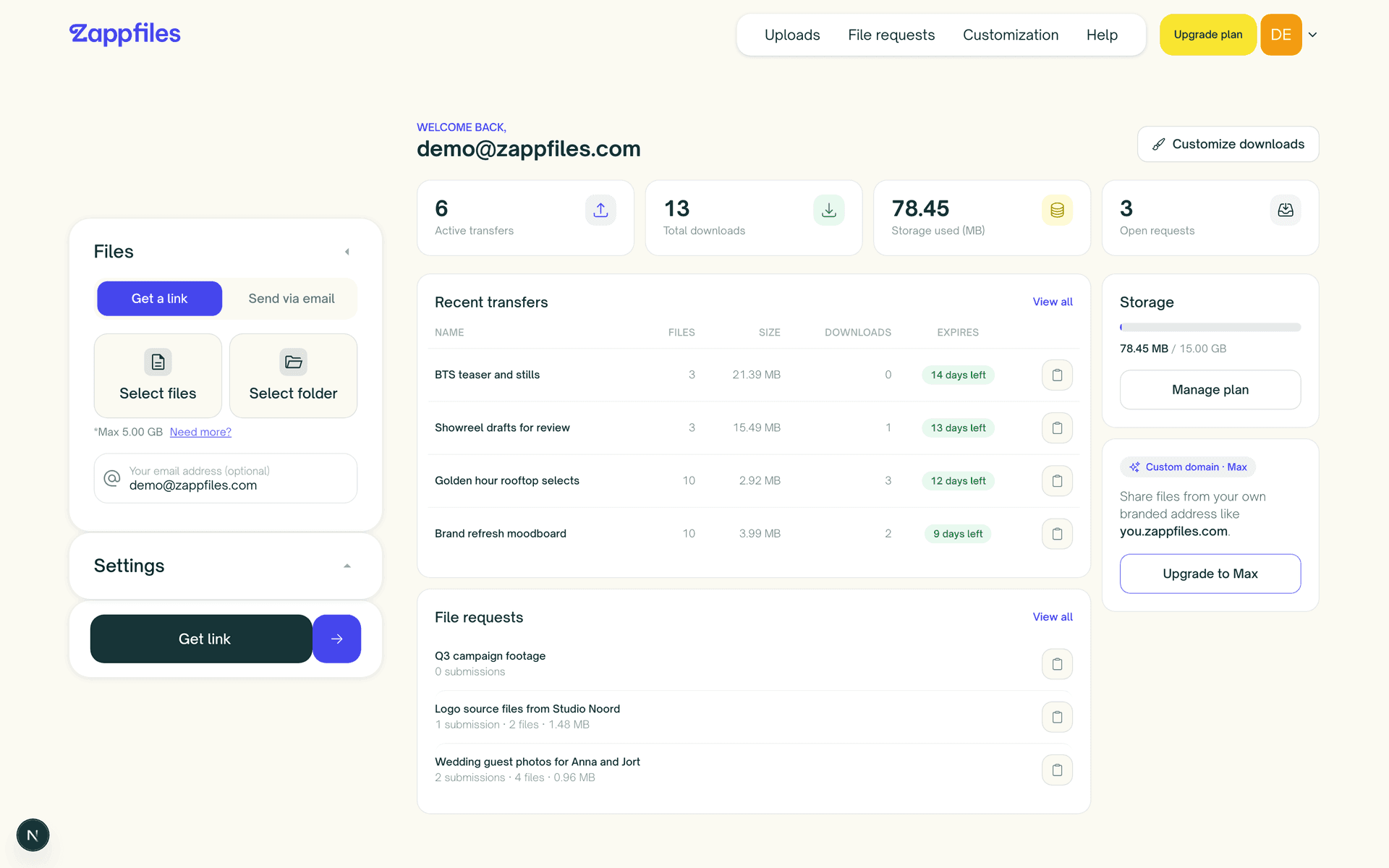
Sign in and you already know where things stand
The dashboard is the home screen of your account, on every plan. The numbers that matter sit up top, and your recent work is one click from its full detail view.
Four numbers, always in view
- Active transfers
- How many of your transfers are still live and downloadable right now, with expired ones filtered out automatically.
- Total downloads
- Every download across all of your transfers, added up. A quick read on how much your work is actually being picked up.
- Storage used
- Your live uploads plus the files people have sent to your requests, counted against your plan's allowance.
- Open requests
- How many of your file requests are still accepting uploads, so you know what's out there waiting for a reply.
Both sides of every file, side by side
Your most recent transfers sit next to your open file requests, so the work going out and the files coming back share one screen. Copy any link without leaving the page.
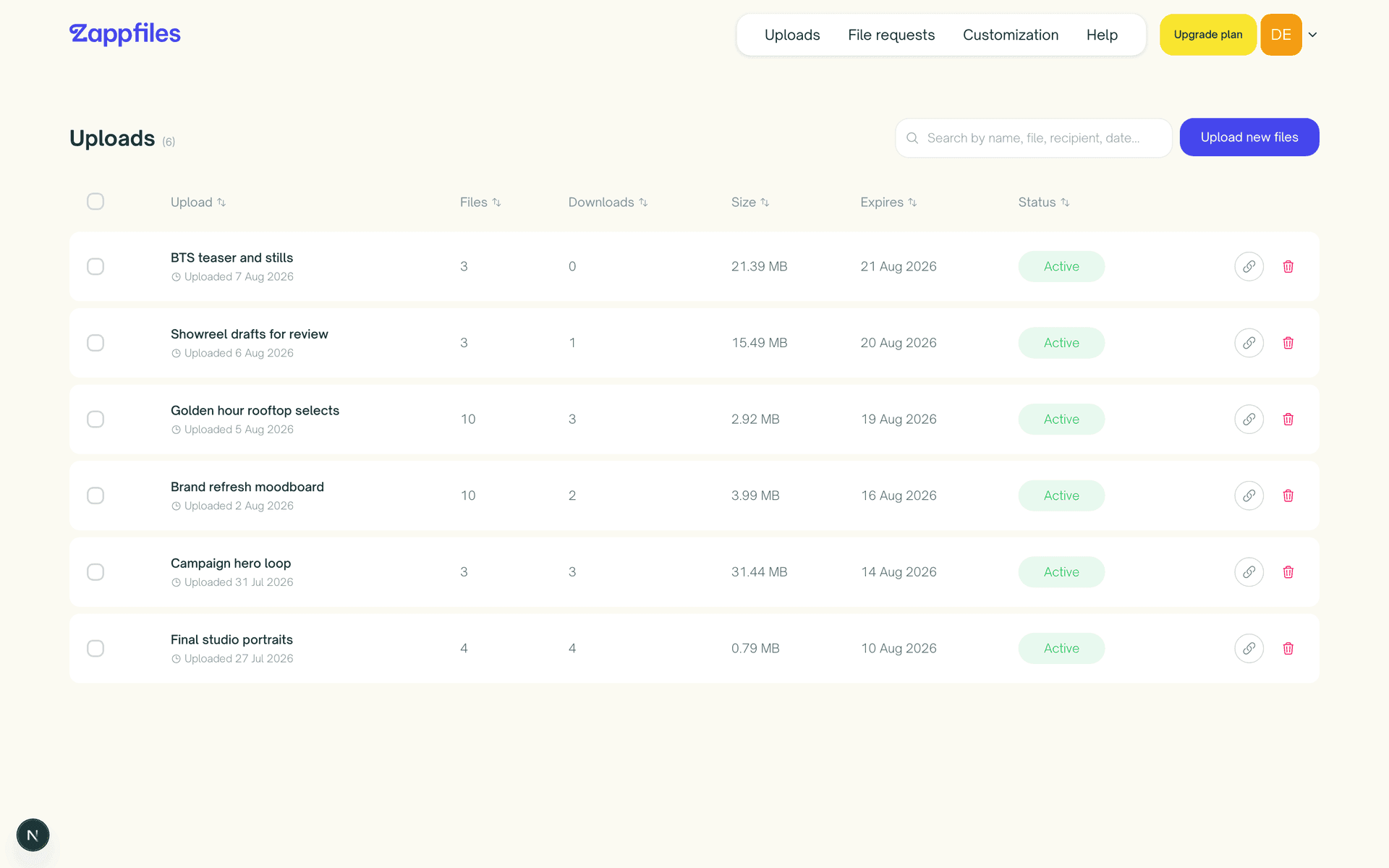
Find any transfer in seconds
The uploads page lists everything you've ever sent, with search and sortable columns for title, files, size, downloads, expiry, and status. Your filtered view lives in the URL, so a search can be bookmarked. Select a batch to delete in one go.
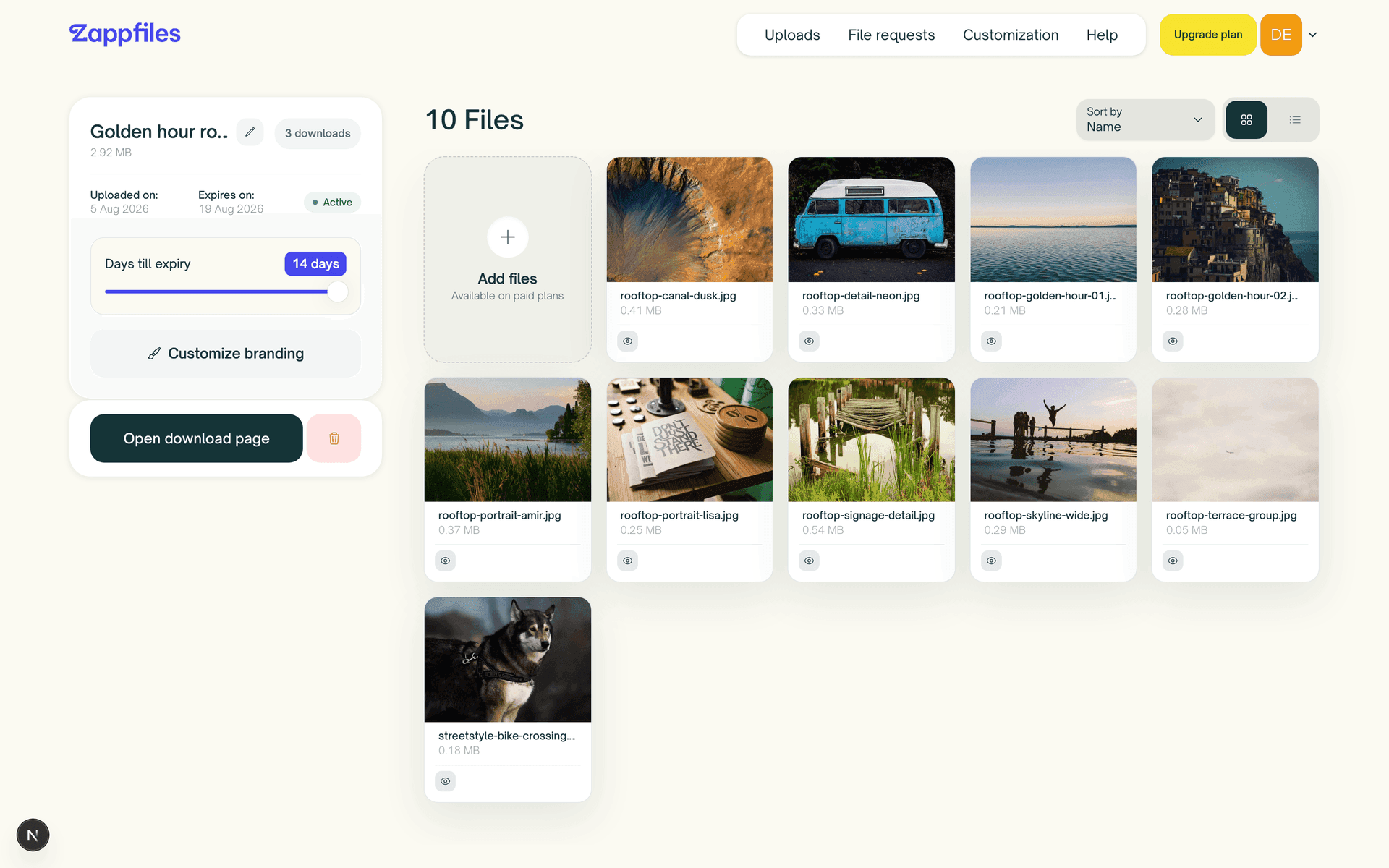
Fix it without resending
Sent the wrong version, or forgot a file? On Pro and Max you can rename a transfer, add files or folders, and remove what doesn't belong, all while the link stays the same. You can even add files to an expired transfer to bring it back to life.
Know it landed, without asking
Every transfer shows its download count. Pro and Max add a per download log with the location and time of each one, so you can tell whether the client in Berlin got the files before the call.
Know your headroom before you hit it
A storage meter shows exactly how much of your plan you've used, counting both your live uploads and the files submitted to your requests. No surprises when you go to send something big.
The overview is free, the control grows with you
The dashboard, uploads page, and requests come with every account. Pro and Max add editing after send, per download logs, and a custom domain that shows off right on your dashboard.
FAQs
Can’t find the answer you’re looking for?
Reach out to our customer support team.