Send large files and folders beautifully
Deliver RAW albums, hours of footage, or a whole project folder without compression. Add your files, set the rules, and share a link or send the download by email. Your client gets a page that makes the work look as good as it is.
Room for the whole shoot
3GB per transfer without an account, 5GB on Free, 50GB on Pro, 250GB on Max. Never compressed.
Folders stay intact
Send a whole project folder, subfolders and all. Your recipient gets one zip that mirrors your layout exactly.
A link or an email, your call
Get a link in one click and paste it anywhere, or let ZappFiles send the download by email for you.
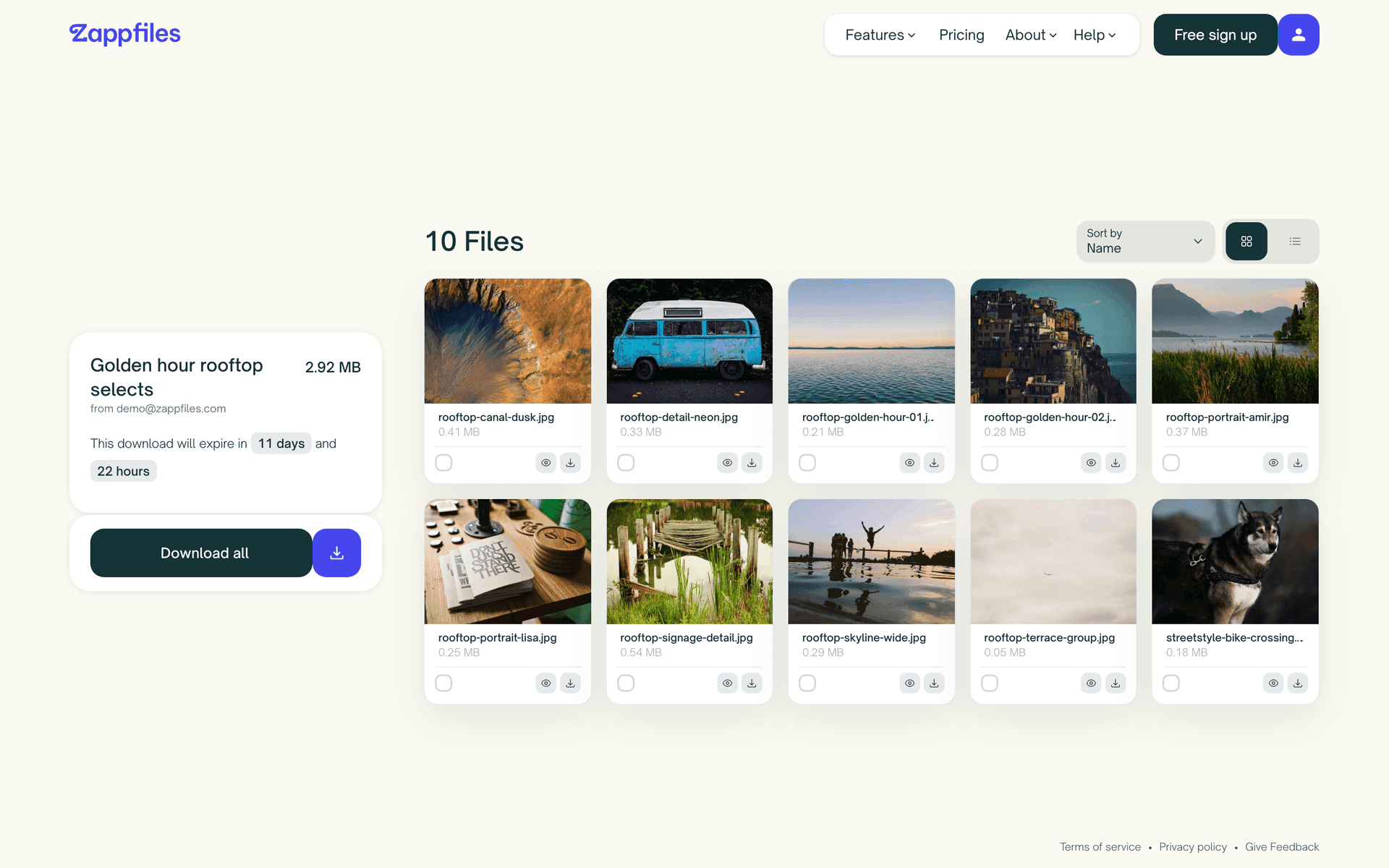
A download page that presents the work
Your client opens the link and sees the delivery, not a form. Real previews, clear sizes, a visible expiry, and everything they tick arrives as one zip. No account needed.
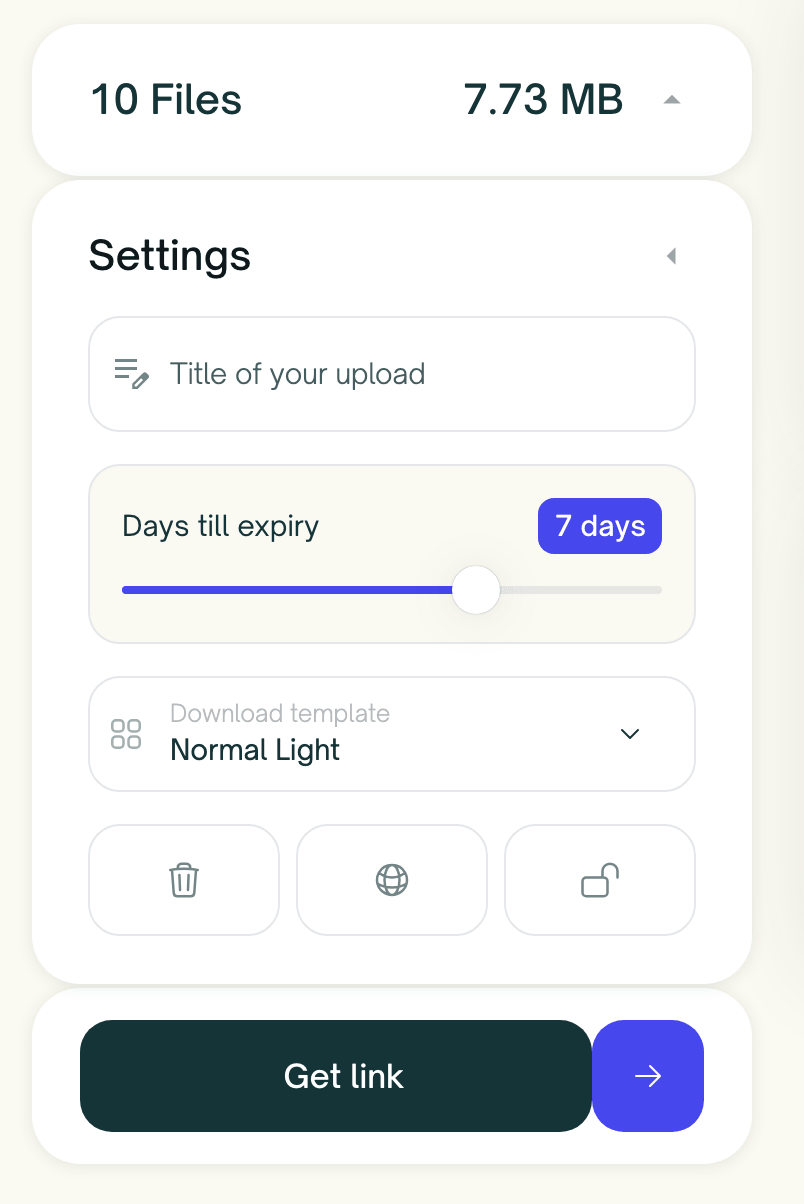
Set the rules before you send
Give the transfer a recognisable title and slide Days till expiry to fit the project, up to a full year on Max. Pro and Max add password protection, delete after download, and a pinned server region.
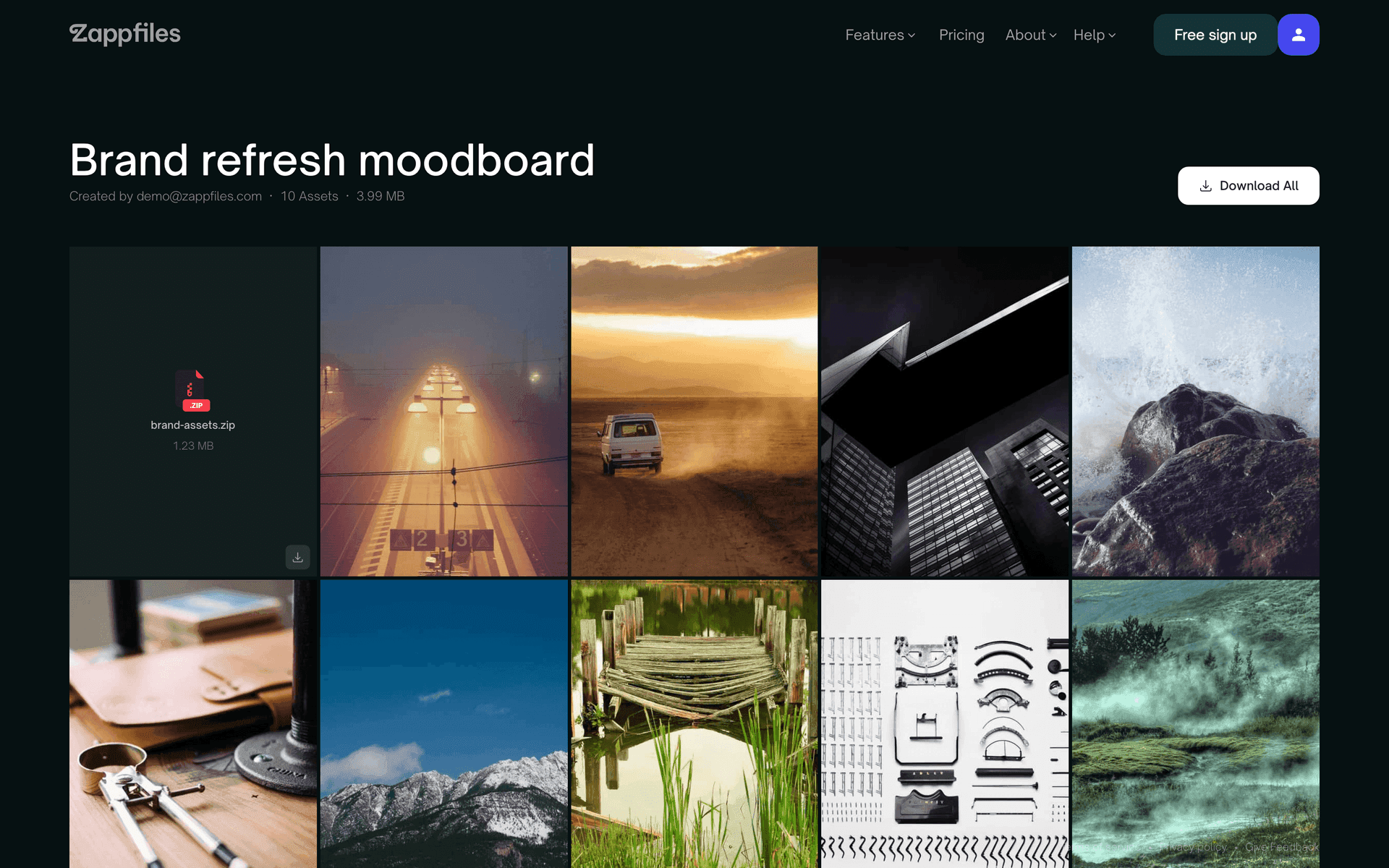
Pick a look that fits the work
Download page templates change how your delivery feels, from a clean light grid to a moody full bleed gallery. Max adds your own logo, colors, and a custom domain.
From files to delivered
1. Drop in your files
Drag files or a whole folder onto the page, or pick them with Add files and Add folders. Nothing uploads until you hit send.
2. Set the rules
Add a title your client will recognise, set Days till expiry, and pick a template. Pro and Max can add a password, delete after download, and a server region.
3. Send it your way
Get a link in one click and paste it anywhere, or have ZappFiles send the download by email.
4. Know when it lands
You get an email on the first download, and the count sits next to every upload in your dashboard. No more asking whether the files came through.
Better than squeezing it into an email
The usual ways of sending work to a client were never built for creative files. This is what changes when the transfer gets its own tool.
| Email attachment | Consumer cloud drive | ZappFiles | |
|---|---|---|---|
| Maximum size | Caps out around 25MB | Whatever storage is left | Up to 250GB per transfer |
| Folders with structure | Zip them yourself first | Yes | Uploaded as is, delivered as one zip |
| Recipient needs an account | No | Often sign-in required | Never |
| Expiry you control | Until you remember to revoke | 10 days to a year, you pick | |
| Know when it's downloaded | Buried in activity logs | Email on first download plus a counter | |
| Presents your work | A list of attachments | A generic file list | A download page with real previews |
Send a full shoot from your phone
The iOS app sends straight from Photos or Files and keeps uploading in the background while you switch apps or lock the screen. Same account, same transfers, both places.
FAQs
Can’t find the answer you’re looking for?
Reach out to our customer support team.
Your next delivery, sorted
Send your first transfer in under a minute. No account needed for 3GB, no credit card, no trial clock.