The download page your clients actually enjoy
Sending the files is only half the job. ZappFiles gives the people on the other end a clean page where they preview the work, pick exactly what they want, and get it back as a single ZIP.
Pick exactly what they need
Recipients select the files they want, or hit select all, or grab a single file on its own. No all-or-nothing downloads.
Zipped automatically
Their selection is bundled into one ZIP, named after your transfer. No loose files cluttering a downloads folder.
Preview before downloading
Crisp previews for photos and video let recipients see the work first and pick the right files to download.
Pick the look that fits the work
Three download page appearances, from a clean card layout to a cinematic gallery to a one file spotlight, each in light and dark. Same download experience underneath, a different first impression on top. Available on Pro and Max.
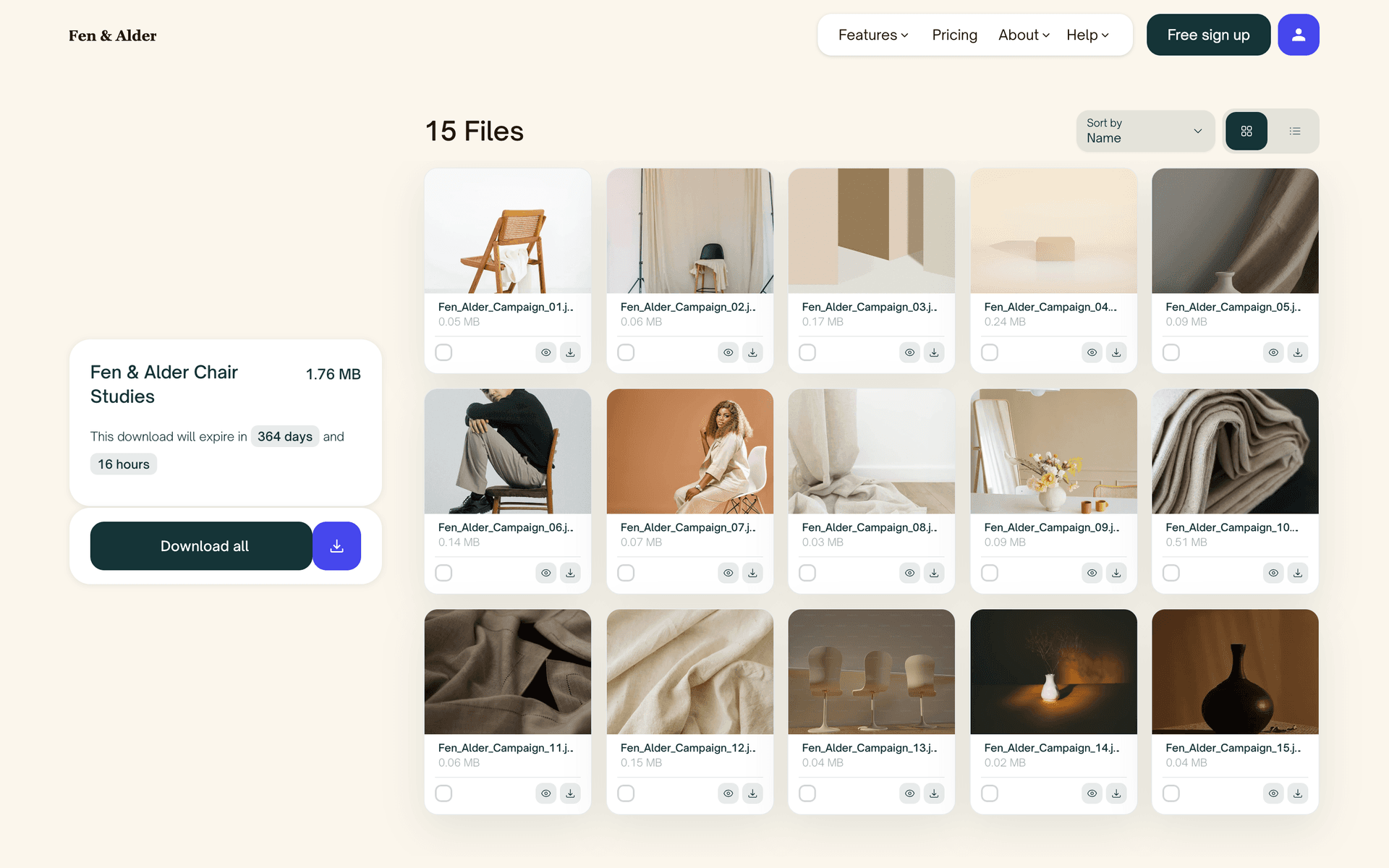
Classic
A clean layout with your details on one side and the file list on the other. The fully brandable default, in light or dark.
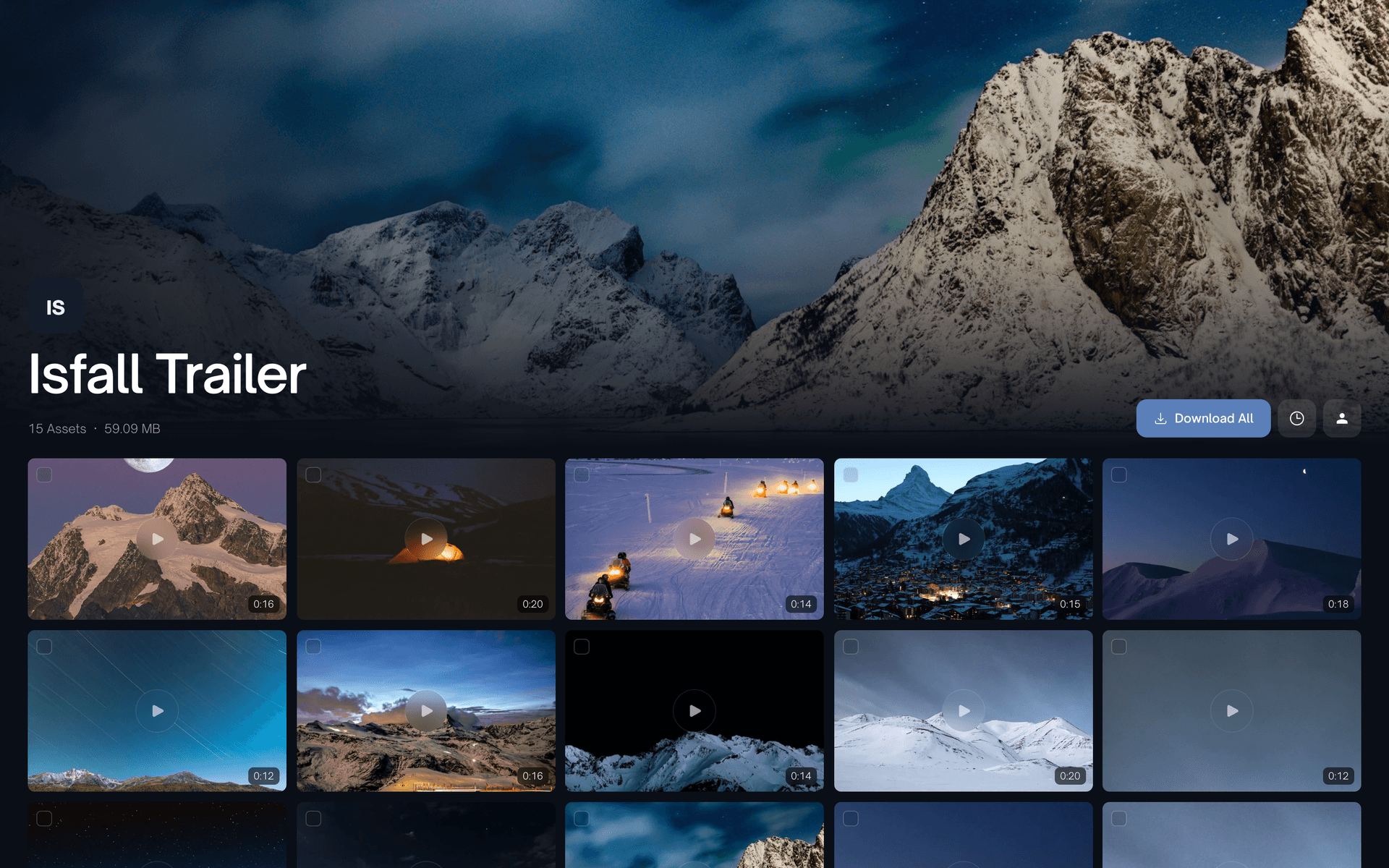
Grid
A cinematic gallery with large, uniform previews. Built to make photo and video work stand out, in light or dark.
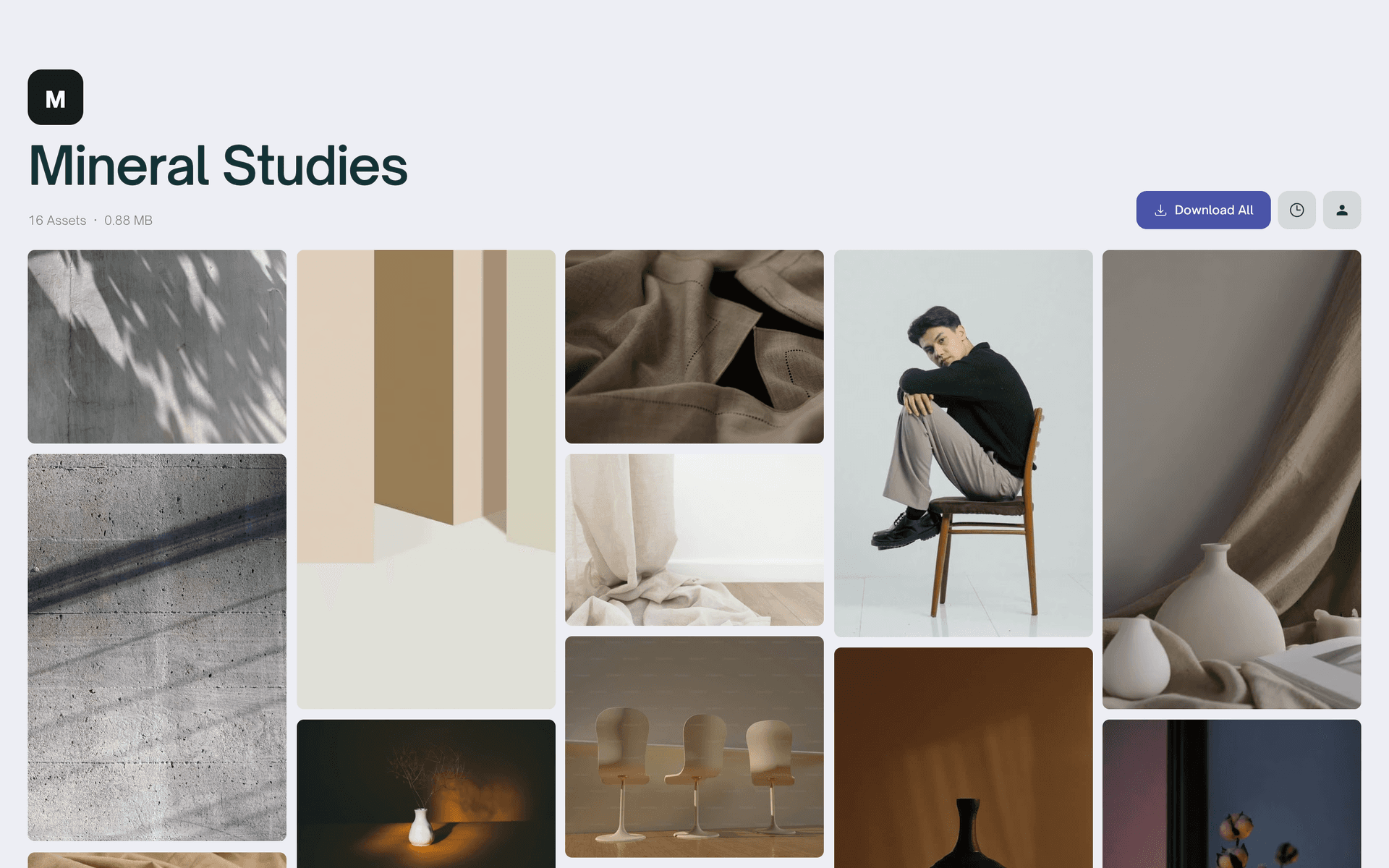
Grid Masonry
A flowing gallery where every image keeps its natural aspect ratio. Portrait, landscape, and square sit side by side.
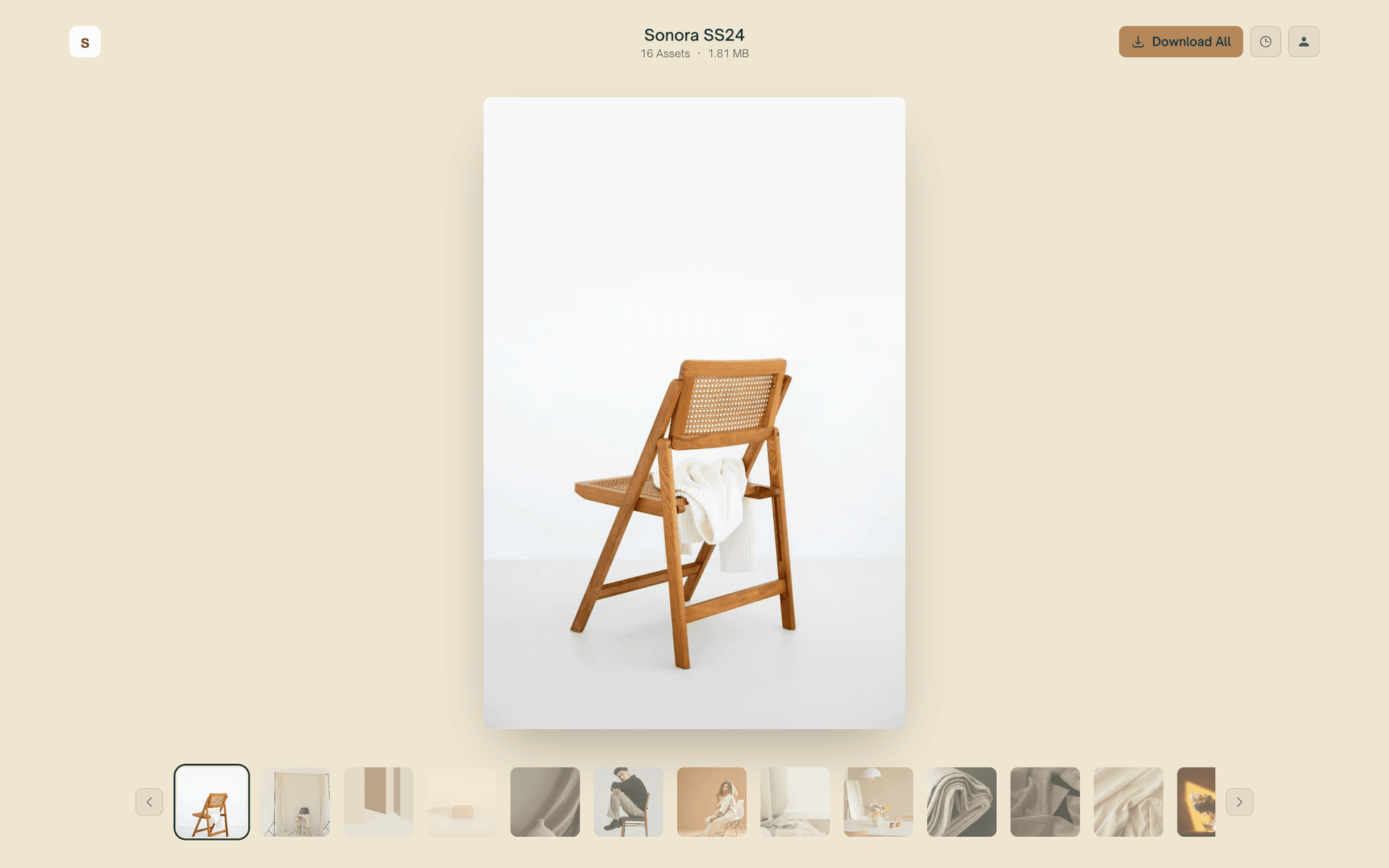
Reel
One file in the spotlight at a time, with a thumbnail strip underneath. Made for presenting a shoot or a design round.
No account. No app. Just the link.
Your recipient clicks the link and lands straight on the files. There is no signup wall, no download manager to install, and nothing to figure out. The people you deliver to should never have to make an account to receive your work.
Folders survive the round trip
Upload a project with nested folders and that exact structure is preserved inside the ZIP. When your recipient extracts it, galleries, proxies, and finals land right where you put them. No reorganizing after the download.
A download page that looks like you
Add your logo, colors, and slogans so the handoff feels like an extension of your studio instead of a generic transfer tool. On Max you can serve the whole page from your own subdomain.
What your recipient does
1. Open the link
Your recipient clicks the link or the download email and lands straight on your files. No account, no app, no signup wall in the way.
2. Preview the work
Photos and video show crisp previews right on the page, so they can see exactly what they are getting before downloading a thing.
3. Tick the files they want
Every file has a checkbox. They select the ones they need, use select all for the whole transfer, or click a single file to pull it on its own.
4. Download one ZIP
Their selection is bundled into a single ZIP, named after your transfer, with your folder structure intact inside. The download starts within seconds.
Most download links make people work for it
A shared drive folder or a bare transfer link leaves the sorting, zipping, and guesswork to your recipient. Here is what the handoff looks like side by side.
| Shared drive folder | Bare transfer link | ZappFiles | |
|---|---|---|---|
| Preview before downloading | Hit or miss | Photos and video | |
| Pick individual files | One at a time | All or nothing | Tick what you need |
| Bundled into one ZIP | Sometimes | Automatic | |
| Folder structure preserved | Usually | Rarely | Always |
| Account needed to download | Often | Never | |
| Branded to you | Logo, colors, subdomain |
Give your clients a better handoff
Send your next delivery and see the download page your recipients get. No credit card, no account needed to send a first link.
FAQs
Can’t find the answer you’re looking for?
Reach out to our customer support team.